Filament plugin

Ideas and votes from your customers, in your Filament panel.

Your customers post ideas, vote for the ones they want and talk them over. Your team sizes each idea, says where it stands, and everyone following hears about it.

Filament 5 · Laravel 12 or 13 · PHP 8.3 or later

Drawn example: the board as a customer sees it

One idea, from posted to shipped

  1. 1 Posted

    A customer searches first, then posts the idea, under their name, their first name, or no name at all.

  2. 2 Voted for

    Other customers press I want this, follow it, and add what they'd use it for.

  3. 3 Sized

    Your team scores its impact, effort and cost, and the score gives it a verdict.

  4. 4 Will do

    Your team changes its status with a note, and everyone following gets it by email and in the bell.

  5. 5 Done

    It moves to Shipped on the board, and everyone following it hears.

Everything on the board, and behind it

A board your customers use without leaving your app

Ideas are grouped by where they stand: Open, Coming, Shipped and Won't do, with My ideas and Following for the reader's own. Before anyone posts, the search asks whether someone has already asked for it.
Drawn example: the board, with its search

Votes, follows and official updates

I want this adds a vote, and pressing it again takes it back. Your team's updates sit above the comments, marked Official.

Drawn example: an idea with an official update

Size each idea, and see which to build next

Impact counts twice, and effort and cost count against it, so every idea gets a score and the verdict it falls in. The Quick wins filter finds big impact for little effort and cost.

Drawn example: sizing an idea

Most wanted, and climbing fastest

The insights page ranks undecided ideas by votes, and shows the ideas climbing fastest this month, how many votes came in, and how long an idea waits for its first update.

Drawn example: insights for this month

Updates reach everyone following an idea

Followers get news on an idea by email, and in Filament's bell when you switch it on. Your team hears about each new idea and each report. Your host class is asked before each notification, so your app can let each person turn them off.

Drawn example: the bell, and the email for the same update

One board across all your customers

In a multi-tenant app every business posts to the same board, and each post shows its writer the way they chose. Your host class can switch the board on for some tenants only.

Drawn example: choosing how a post is shown

Also on the board

  • Against votes are counted for your team and never shown on the board.
  • Merge a duplicate into another idea, and its votes and followers move with it.
  • Each idea's vote count is recalculated from its votes.
  • A Report button on every idea and comment tells your team.
  • Comments can be changed for 15 minutes after posting.
  • Times are stored in one zone and shown in each reader's own.
  • When you delete a tenant, Wishble::forgetTenant() removes its follows and email addresses, and leaves its ideas and comments on the board.

Every feature switches off

Turn off any part your app doesn't need. Every page's label, icon, group, position and placement can be changed in config or in code, and every string goes through __().

Some of the feature switches, as they're set by default

Better with Knowble

With Knowble installed, your team can turn an idea into a support request and answer its writer one to one. The idea stays on the board.

The board in Stringline and PISTON

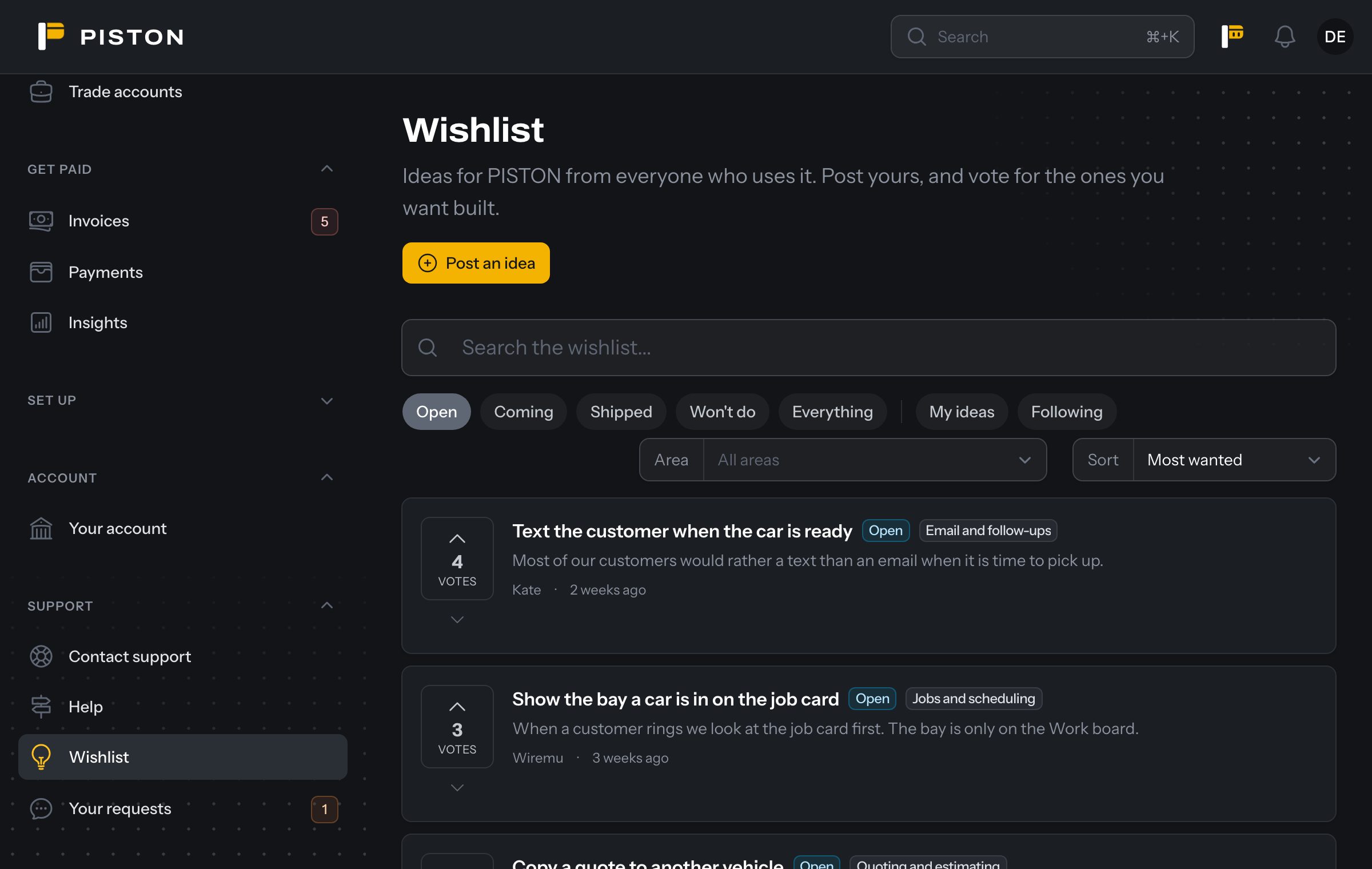
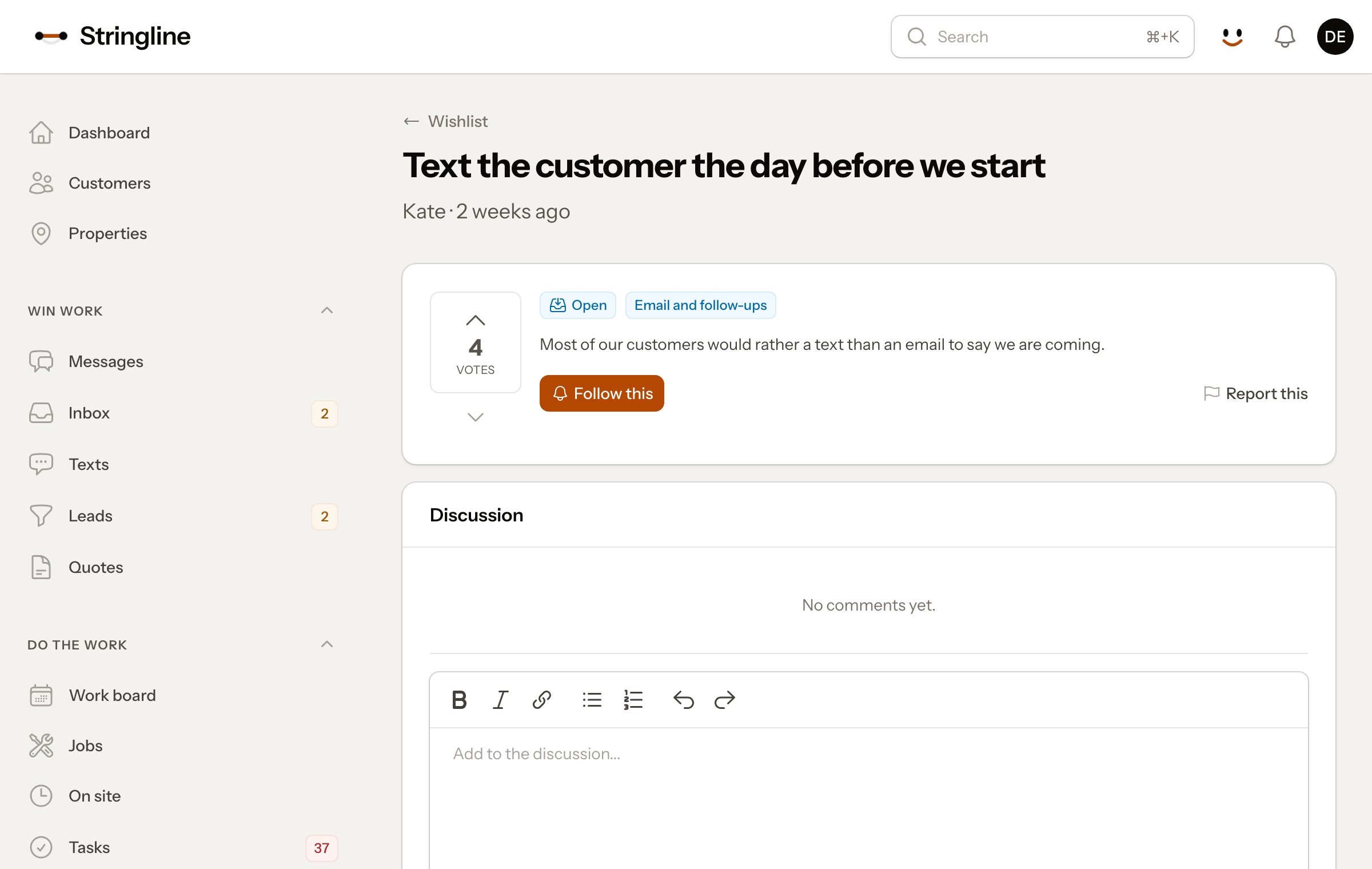
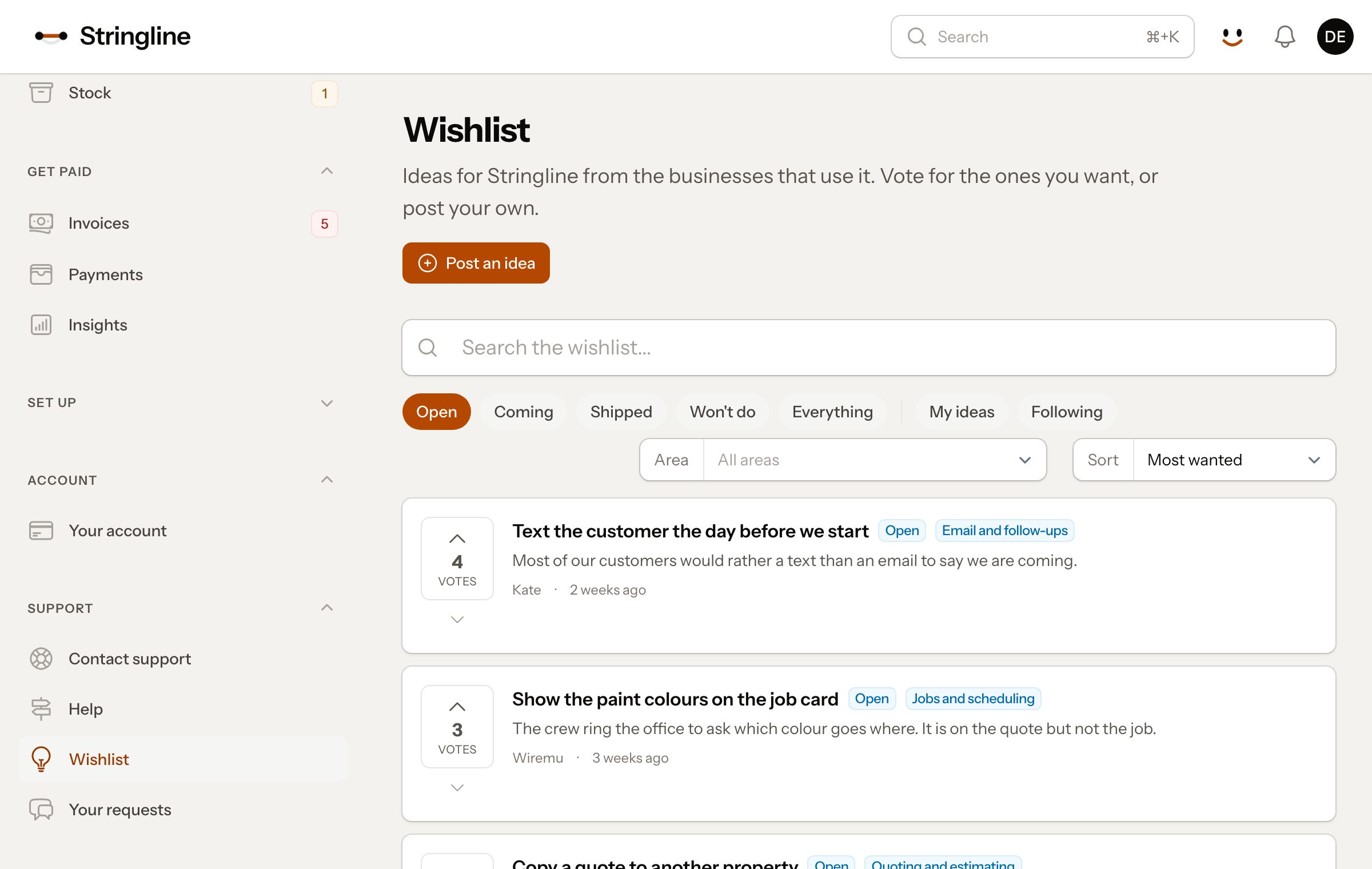
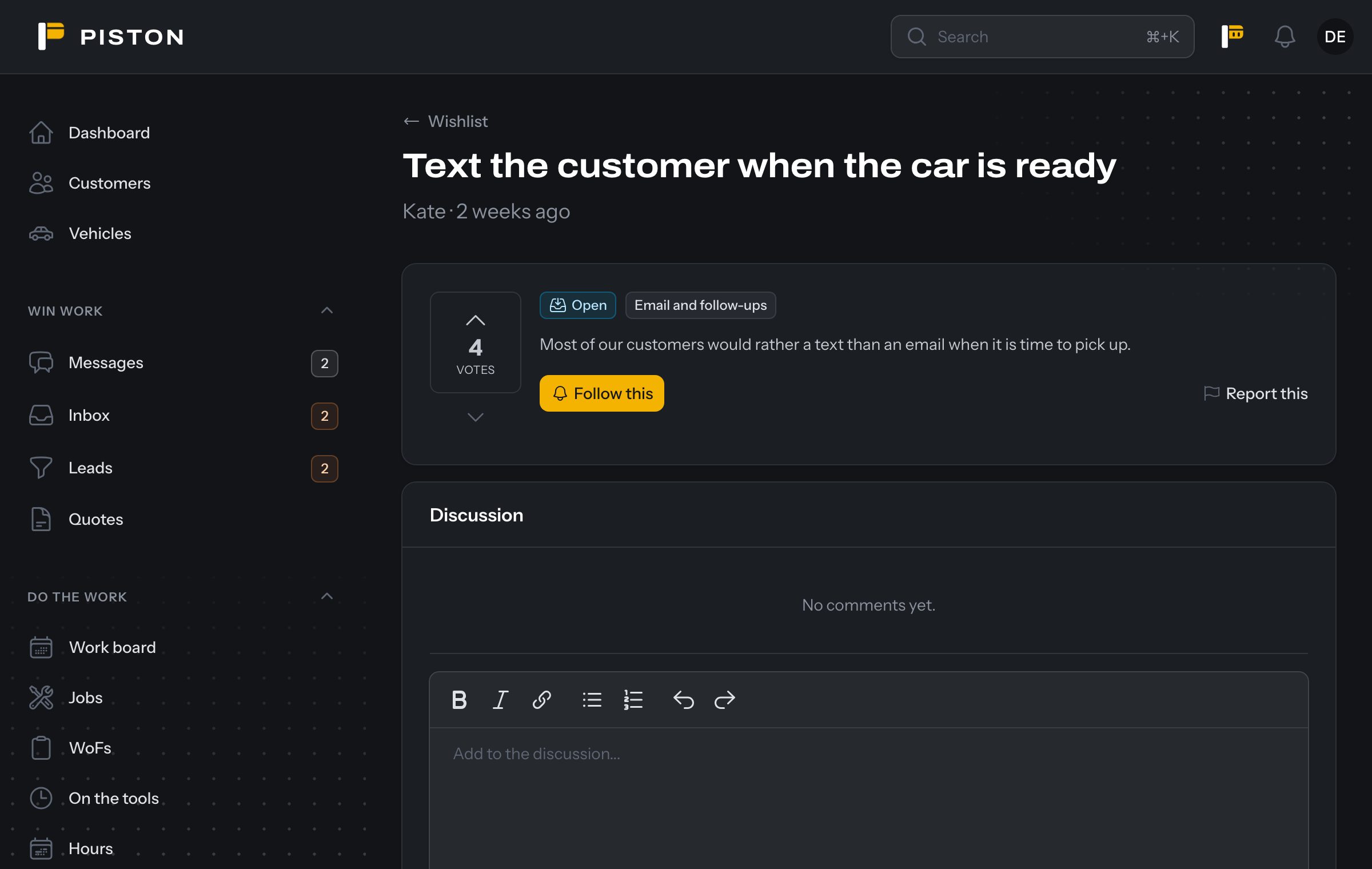
Wishble is the board Stringline, PISTON and Oversite already run, taken out into a plugin. These screenshots are from the demo accounts of two of them, each in its app's own colours.

Stringline: the board
PISTON, in dark mode: an idea
PISTON, in dark mode: the board
Stringline: an idea
Stringline: an idea

Install Wishble

The installer publishes the config and migrations, asks which features you want, and migrates if you ask. Wishble needs Filament 5, Laravel 12 or 13 and PHP 8.3 or later.

  1. # Install the package
    composer require polycode/wishble
  2. # Run the installer, and choose what you want
    php artisan wishble:install
  3. # Register the plugin on your customers' panel
    ->plugin(WishblePlugin::make())

The docs cover the staff panel and every setting.

Pricing is coming soon

Email hello@polycode.co.nz and we'll tell you when you can buy Wishble.

Each project needs a licence. A project is one application, including its staging, testing and development copies.

Questions

Will my customers see the name Wishble?

No. The board, emails and notifications use your app's name and colours. Wishble's name appears in your code and config.

Can customers see who voted against an idea?

No. Against votes are counted for your team only, and the board shows votes for.

Do I need a staff panel?

The board works without one: your team is emailed new ideas and reports. To triage in the app, add the staff plugin to an admin panel only your team signs in to, or create one. It must be separate from your customers' panel, because Wishble tells staff from customers by the panel they're in.

Does it need Knowble?

No. Wishble works on its own. With Knowble installed, your team can also turn an idea into a support request.

Can I use it in an app I build for a client?

Yes. The licence then belongs to that project, and your client can keep using it.

Where do I ask something else?

Email hello@polycode.co.nz.